Features
Every protection, explained in plain English.
What each part of Arkyn does, why it matters, and how it protects you — including the trade-offs we chose on purpose.
Encrypted from the start
Full-disk encryption, on by default
- What it does
- The installer ticks “Encrypt system” for you. Your disk becomes a LUKS2 container holding a Btrfs filesystem, unlocked by one passphrase at boot.
- Why it matters
- A lost or stolen laptop without encryption is an open book: documents, browser sessions, saved passwords, SSH keys. With it, the thief has noise.
- How it protects you
- Untick the box and the next page turns red and explains exactly what an unencrypted laptop exposes — before anything is written.
- One passphrase prompt, in the early boot environment. It cannot be recovered if you lose it, and the installer says so.
- Boots through Ubuntu’s signed shim and kernel, so Secure Boot stays on without extra keys.
- FirmwareSecure Boot on
- shimCanonical-signed
- GRUBArkyn theme, hidden
- Kernel + initrdUbuntu’s signed kernel
- LUKS2 passphraseasked once, here
- Btrfs root@ · @home · @log · @cache
/boot stays unencrypted so Ubuntu’s signed GRUB can start the kernel.A new face on every network
MAC address randomisation
- What it does
- Every Wi-Fi or wired network sees its own stable random hardware address. Wi-Fi scans use random addresses too, and every machine generates its own identity on first boot.
- Why it matters
- Your network card’s real address is a permanent identifier. Shops, venues and networks can use it to recognise the same device everywhere it goes.
- How it protects you
- Stock Ubuntu leaves scan randomisation off; Arkyn switches it on.
- Per-network addresses stay the same on each network, so captive portals and DHCP reservations keep working.
- The image never ships a machine ID or network secret: two installs never share an address. Proven in a two-machine VM test on every release.
- IPv6 privacy addresses are preferred for outgoing connections, so no fixed IPv6 address follows you either.
Your lookups, kept quiet
Encrypted DNS to Quad9
- What it does
- Name lookups go to Quad9 over TLS, with DNSSEC validation where available. Your local network’s resolver only answers for its own names.
- Why it matters
- Plain DNS shows everyone on the network — and the network’s owner — every site you visit, even when the sites themselves use HTTPS.
- How it protects you
- Opportunistic mode, on purpose: a VPN uses its own resolver, and captive portals still let you sign in.
- No fallback DNS servers are configured, so lookups don’t quietly leak to a default resolver.
Nothing phones home
No telemetry, no snaps
- What it does
- Ubuntu’s usage reporting, “insights”, crash upload and Ubuntu Pro nags are removed from the image; the login news feed is disabled. Snap is removed and pinned so it never returns.
- Why it matters
- Software you didn’t ask for, talking to servers you didn’t choose, is the opposite of private. Fewer moving parts also means less to go wrong.
- How it protects you
- Removed: apport, whoopsie, ubuntu-report, ubuntu-insights, Ubuntu Pro client, update-notifier and the release-upgrade nag.
- Ubuntu’s connectivity check (a periodic ping to Canonical) is gone too.
- Extra apps come from Flathub as sandboxed Flatpaks; the rest from Ubuntu’s archive or each maker’s own channel.
- Claude Code and the GitHub CLI are preinstalled but signed out — the build fails if anyone’s credentials are in the image.
Locked down, not locked in
Hardening that doesn’t break your tools
- What it does
- Firewall on (incoming connections refused), AppArmor enforcing, a curated set of kernel settings, Docker ports bound to localhost, and Bluetooth off until you switch it on.
- Why it matters
- Most “hardening guides” break debuggers, containers and browser sandboxes. Arkyn is tuned for people who build software, so every setting has a stated reason.
- How it protects you
- Kernel: redirect and source-route attacks ignored, kernel pointers and logs hidden from ordinary users, no core dumps from privileged programs.
- Unprivileged user namespaces stay on, deliberately: browsers, Flatpak, rootless Podman and Electron apps use them to sandbox themselves, and Ubuntu’s AppArmor rules still decide which apps may.
- Docker:
-p 8080:80listens on 127.0.0.1 only; exposing a port to the network is an explicit choice. - Bluetooth is off on a fresh install; once you turn it on, your choice sticks.
- Stays on Canonical’s signed kernel: Secure Boot keeps working and kernel security fixes arrive within days.
Keeps itself current
Automatic security updates that keep your settings
- What it does
- Security and stable updates install themselves in the background, including the desktop, LibreWolf, Proton VPN, Mullvad and Claude Code. A catch-up update runs shortly after the first boot.
- Why it matters
- Most compromises use holes that were already patched. Updates only protect you if they actually get installed.
- How it protects you
- Never reboots for you. Kernel updates wait for your next restart.
- Configuration files you changed are kept; your home folder is never touched.
- The first-boot catch-up waits for mains power or 50 % battery, and never blocks the desktop.
Worth knowing: Updates are package-level today: new Arkyn defaults (branding, theme, new settings files) reach a machine with a newer ISO until the Arkyn package repository exists.
sudo apt upgrade. Flatpaks update through the Store.Copy on one, paste on the other
GrapheneOS phone pairing
- What it does
- Pair a GrapheneOS (or other Android) phone with KDE Connect from F-Droid — no Google services needed — to share the clipboard, send files and see notifications.
- Why it matters
- Your phone and laptop should work together without routing anything through someone else’s cloud.
- How it protects you
- Local network only: the firewall admits pairing traffic from private home and office ranges, IPv4 only — never from the internet.
- Remote control, run-command, remote input and phone-filesystem access are switched off for every paired phone, however it was paired.
- Laptop → phone clipboard is automatic; phone → laptop takes one tap, because Android blocks background clipboard reads.
The Sov desktop
COSMIC, in Arkyn red
- What it does
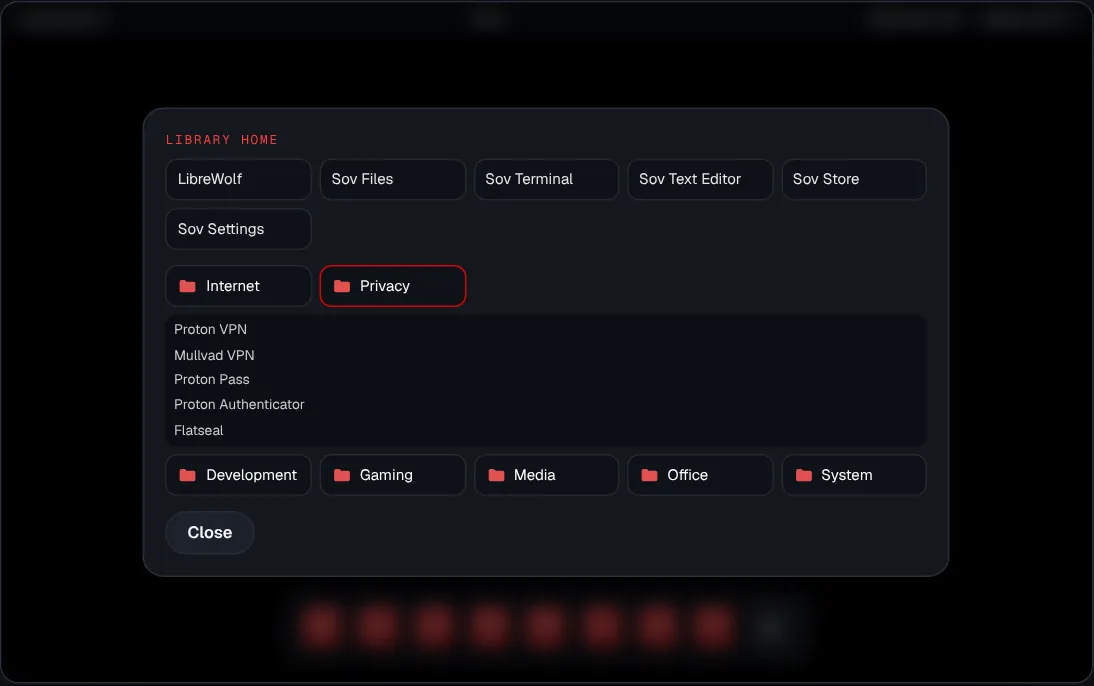
- System76’s COSMIC desktop with a dark theme, red accent, red-foldered Papirus icons, nine Arkyn wallpapers and an app library sorted into Internet, Privacy, Development, Gaming, Media, Office and System.
- Why it matters
- Privacy tools only help if the system is pleasant enough to live in every day.
- How it protects you
- Arkyn Setup at first login: Wi-Fi, fingerprint for login and
sudo, appearance, accounts, your phone, battery — every page skippable. - Fast boot: no menu or countdown. Hold Esc (UEFI) or Shift (BIOS) for the themed boot menu.
- Type
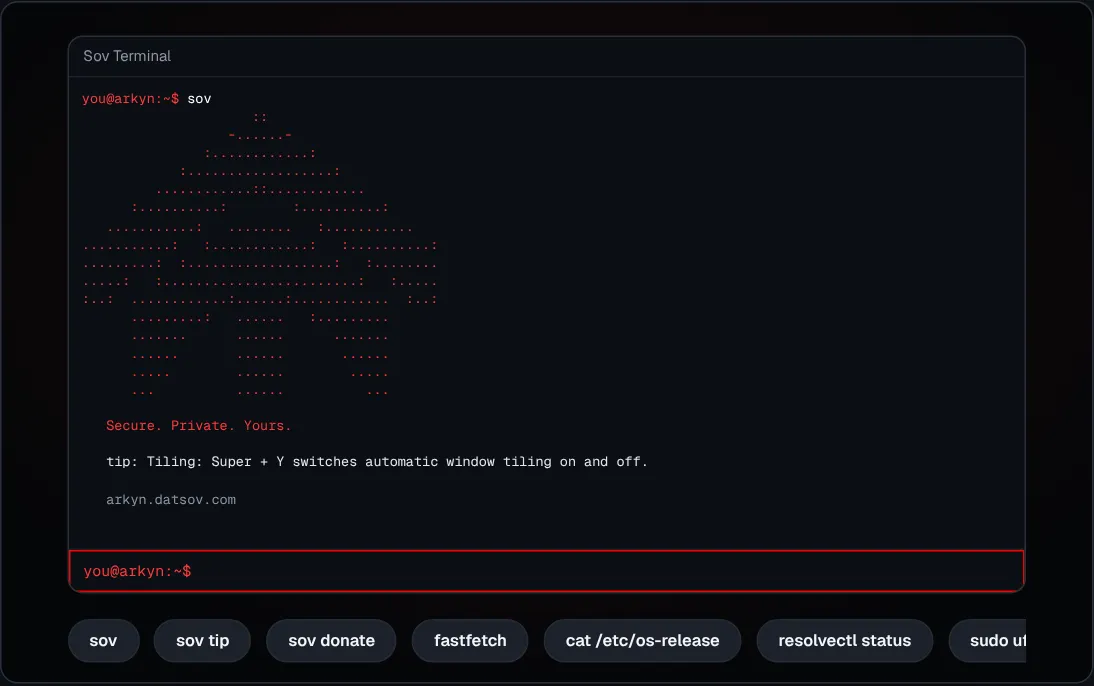
sovin a terminal for the logo, the slogan and one of 104 tips.
- Arkyn Setup at first login: Wi-Fi, fingerprint for login and
Worth knowing: Sov is a name, not a fork: packages are unmodified so updates keep flowing. Some window titles still say COSMIC, and the desktop comes from an unofficial COSMIC package archive that updates automatically.
Kinder to your battery
Charge limit at 80 %
- What it does
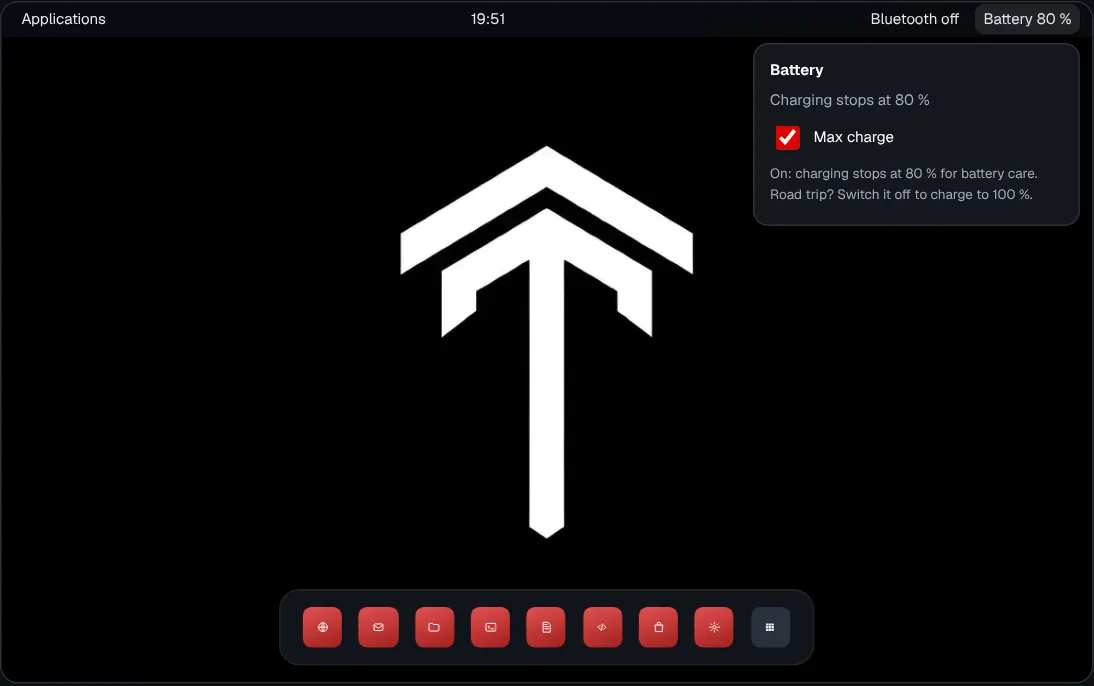
- On laptops whose firmware supports it (ThinkPads do), charging stops at 80 % to slow battery wear. For a full tank, switch off “Max charge” in the panel’s battery menu — and back on afterwards.
- Why it matters
- Lithium batteries age fastest when held at 100 %. A laptop that lives on a desk can last years longer.
- How it protects you
- Uses the kernel’s standard charge-threshold interface — no extra daemon fighting the desktop’s power settings.
- Survives reboots, battery swaps and BIOS resets. Machines without support simply ignore it.
Side by side
Arkyn OS vs stock Ubuntu 26.04 desktop
Arkyn is Ubuntu underneath — same archive, same kernel, same security team. These are the defaults it changes.
| Default | Stock Ubuntu 26.04 | Arkyn OS |
|---|---|---|
| Disk encryption in the installer | Off unless you choose it | On by default; red warning if you turn it off |
| Snap | Installed (Firefox, App Center) | Removed and pinned so it can’t return |
| Telemetry & reporting | ubuntu-report, ubuntu-insights, apport, whoopsie | Removed |
| Ubuntu Pro prompts | Ubuntu Pro client installed | Removed |
| DNS | Plain DNS to the network’s resolver | DNS over TLS to Quad9, DNSSEC where available |
| Wi-Fi scan MAC randomisation | Off | On, plus a stable random address per network |
| Firewall | Installed but not enabled | Enabled, incoming refused |
| Docker | Not included; once installed, published ports listen on every interface | Included; published ports listen on localhost unless you say otherwise |
| Bluetooth | On | Off until you turn it on |
| Default browser | Firefox (snap) | LibreWolf |
| Desktop | GNOME | COSMIC (“Sov”) |
No spin
Honest limitations
- Limited hardware testing. Every release passes a full install-and-boot matrix in virtual machines, but real-hardware testing so far is one ThinkPad L14 Gen 2 and a Pixel on GrapheneOS.
- Updates are package-level. New Arkyn defaults reach existing installs only through a newer ISO until the Arkyn package repository exists.
- The desktop comes from an unofficial archive. COSMIC isn’t in Ubuntu’s archive yet; Arkyn uses a community package archive and updates it automatically. A bad upstream build could reach machines unattended.
- Fingerprint covers login and
sudoonly. The disk passphrase and the first keyring unlock still need your password. - Screen-off and suspend are off by default. Turn them on in Sov Settings › Power if you want them on battery.
- It is not an anonymity tool. Arkyn reduces what your machine gives away by default. For anonymity, use Tor Browser (included) and read up on its limits.